Plan days ahead
Create your content plan, set a schedule and forget about manual posting.
JustPost is a scheduled posting service for Telegram, VK and Discord. Plan your posts in one calendar. More time for what matters, less routine.
Create your content plan, set a schedule and forget about manual posting.
Prepare posts for Telegram, Discord and VK. Choose multiple platforms for each post.
Automate routine tasks and spend more time on what matters.
Connect your channels, create a post and choose a time. Everything else follows the schedule.
Choose Telegram, VK or Discord and confirm the connection.
Write your text, add images and choose channels.
Set the date and time. We will publish on schedule.
Run channels, grow a community or bring your server audience together.
Prepare content for all three platforms in one planner.
Text and images, with links and formatting. Connect through the bot and publish on schedule.
Community wall posts with text and images. Editor or administrator permissions are required to connect.
Text and images, with Markdown and mentions. Configure @everyone and @here for each post.
For creators, social media managers and other communities: collect ideas, prepare content and keep track of your publication schedule.
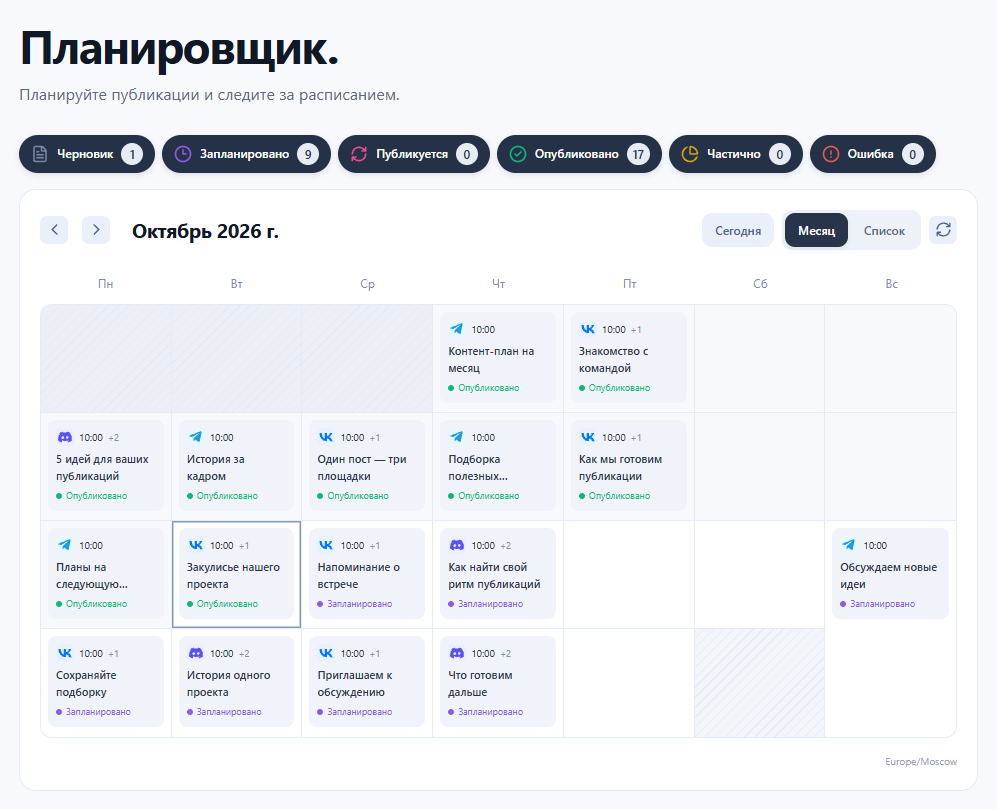
View your monthly content calendar or switch to a list. Select a day to see its posts, and filter by status or platform.
Save your text as a draft and come back to it later. When the post is ready, choose channels, a date and a publication time.
Upload images once. We keep them in your media library so you can reuse them in new posts without uploading them again.
Delivery statuses and links to published posts are collected in the planner. Open posts on their platforms in one click.
For your first posts and small projects.
For regular work with several channels.
For larger content volumes and multiple platforms.
About connecting channels, scheduled posting and platform features.
Telegram, VK and Discord. You can connect Telegram channels and groups, VK communities and Discord server text channels. Your account can have several channels on one platform or channels on different platforms.
Instagram support is planned, but there is no estimated launch date yet.
Yes. Write your text, add images and select the channels. JustPost will send the post to each one at the scheduled time. Publication results are shown separately for each channel.
Up to five JPG, PNG or WebP images. Upload new files or select existing images from your media library. File size and storage limits are listed in your plan conditions.
Video publishing is not supported at this stage. You can currently publish posts with text and images.
You can highlight text and add links in the editor. Telegram receives formatted text, Discord supports Markdown, and VK posts are sent as plain text.
Yes, start with the Free plan. It includes the planner, channel connections and media library. Channel, file, storage and scheduling limits are listed under “Plan conditions”.
Open the post in the planner to see the result for each channel. If it was sent to only some channels, its status will be “Partial”. Successfully published posts have a link to the original post.
Telegram, VK and Discord. Your posts in one place.
Start planning